How FormRoute works.
Your form stays on your website. FormRoute receives each submission, checks it against your rules, and emails the ones that pass from your own domain.Four steps to a working form.
Most people finish in one sitting; DNS can take a little longer to show up.- 1
Create your account and subscribe. An email address and a password, then €59 a year through Stripe Checkout. Your account is ready as soon as the payment is confirmed.
- 2
Verify your domain. FormRoute shows you four DNS records: three CNAME records that let Amazon SES sign your mail with DKIM, and one TXT record that proves the domain is yours. Add them at your DNS provider; FormRoute checks them for you.
- 3
Set up your form. Name it, choose the address that receives submissions, list the websites allowed to post to it (up to 10) and the fields it sends. Each field can be required and given a maximum length.
- 4
Paste the snippet and send a test. Your account generates a JavaScript snippet with your form's key and fields filled in. Paste it next to your form, then send a test submission from your account to see the whole path work.
You decide what a submission may contain.
Everything else is refused before it reaches your inbox.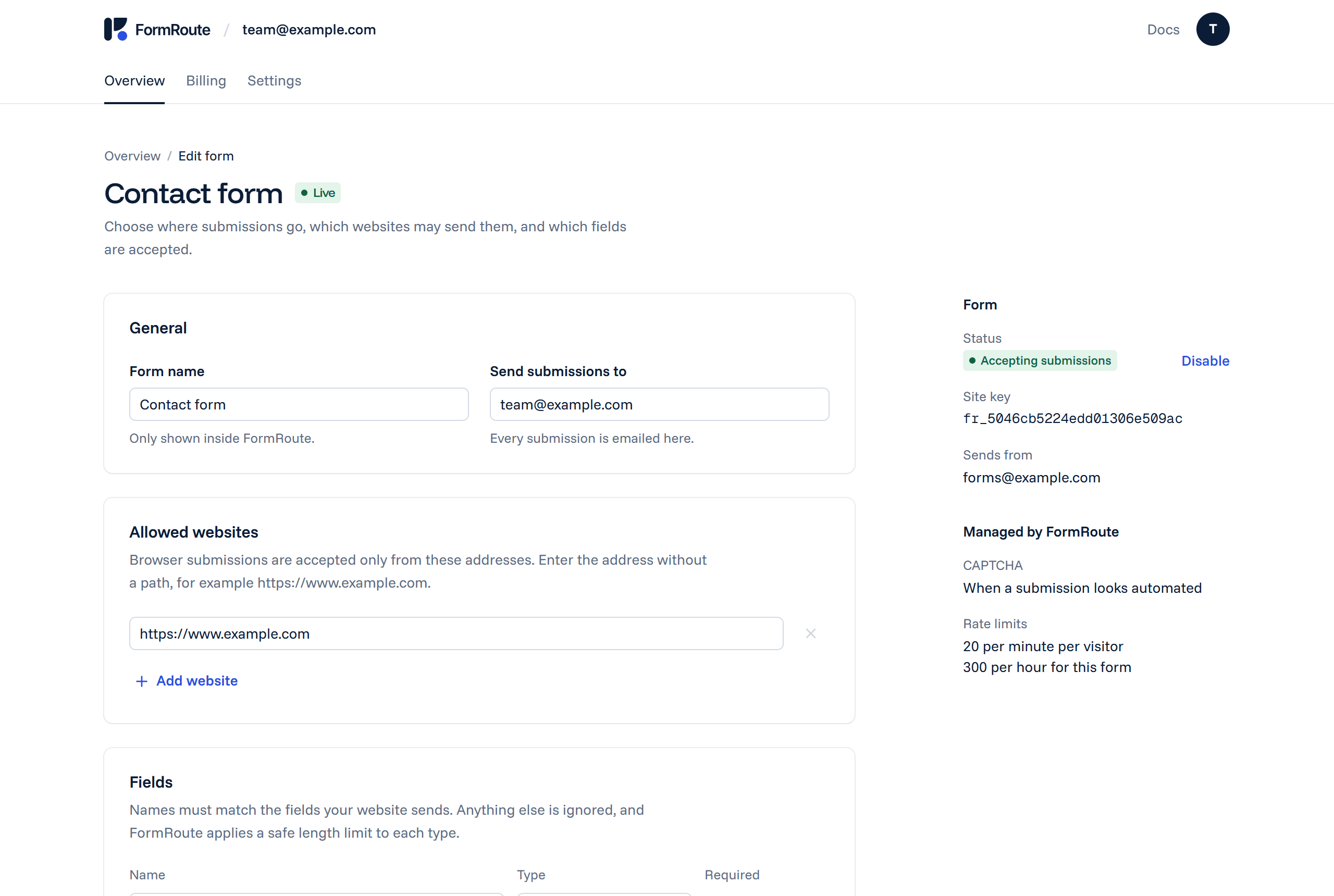
Recipient. The inbox that receives every accepted submission. Visitors cannot change it.
Allowed websites. Up to 10 origins, such as https://www.example.com. A browser posting from anywhere else is refused.
Fields. The names your form sends, which ones are required, and how long each may be. Fields you haven't set up are dropped.
Size. A submission is at most 20 KB of JSON. FormRoute carries text, not file uploads.
One snippet connects your form.
Your form's key and field names are already in it.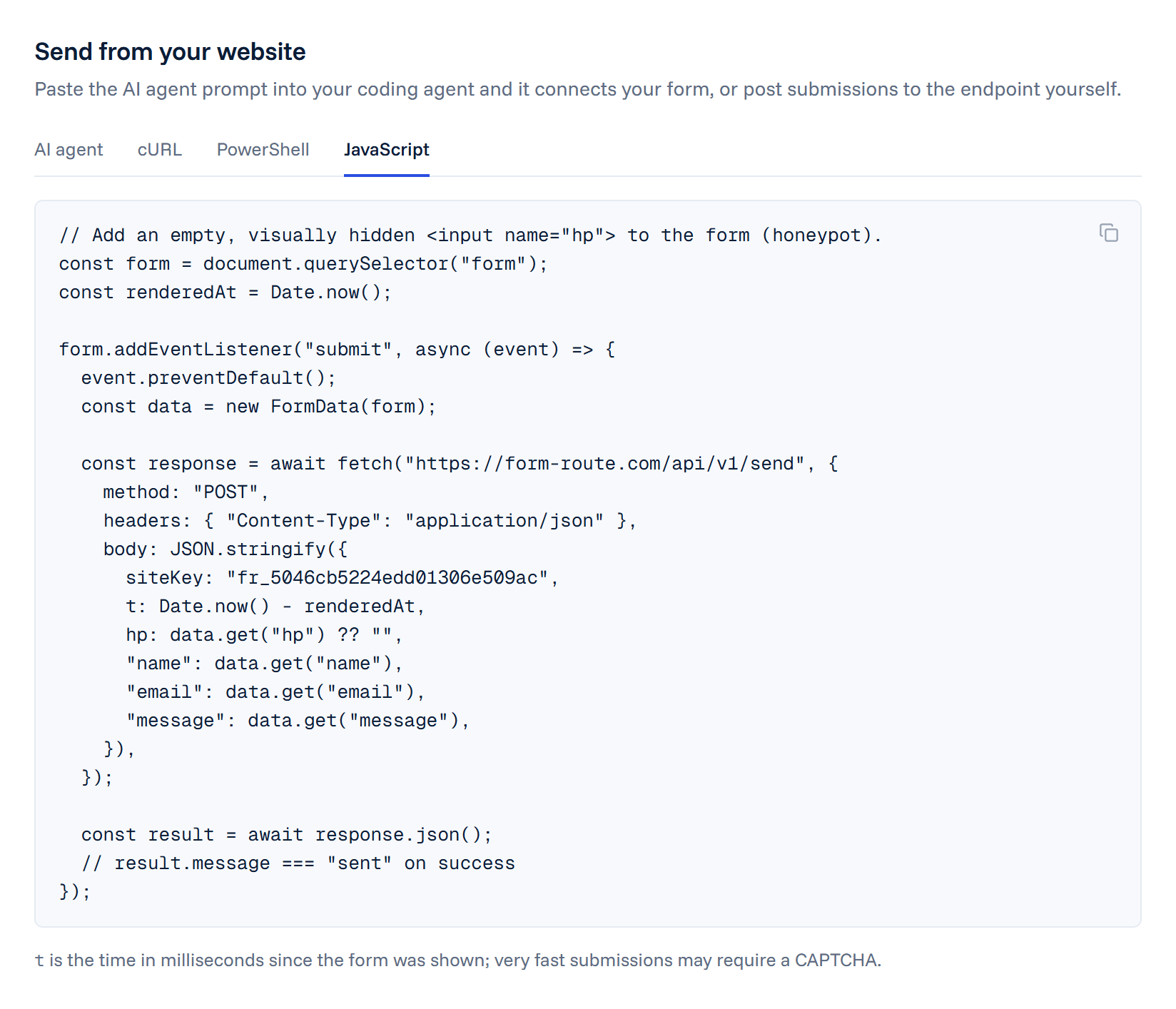
Any website. Hand-written HTML, Next.js, Astro, WordPress, Webflow or Framer: if the page can run a few lines of JavaScript, it can use FormRoute.
Or let your AI agent do it. Your account gives you a one-line prompt with your form's key and fields. Paste it into your coding agent and it adds the code.
Or from a server. Any backend that can send an HTTPS POST with JSON can call the same endpoint. The API reference lists every field and response.
Delivered from your own domain.
Signed with DKIM and sent through Amazon SES in Stockholm, Sweden.Your address. Emails come from an address on the domain you verified, such as [email protected], so they look like your own mail and pass DKIM checks.
Your fields, in order. Each email lists the fields you set up, with what the visitor typed. Nothing else from the submission is added.
Bounces reported back. SES tells FormRoute when a message is delivered, bounces or is marked as spam, and the submission's status in your list changes to match.
No mail server to run. No SMTP credentials on your website, no plugin to update, no server to keep off blocklists.
Every submission gets a result.
Sent, or refused with the reason, listed in your account.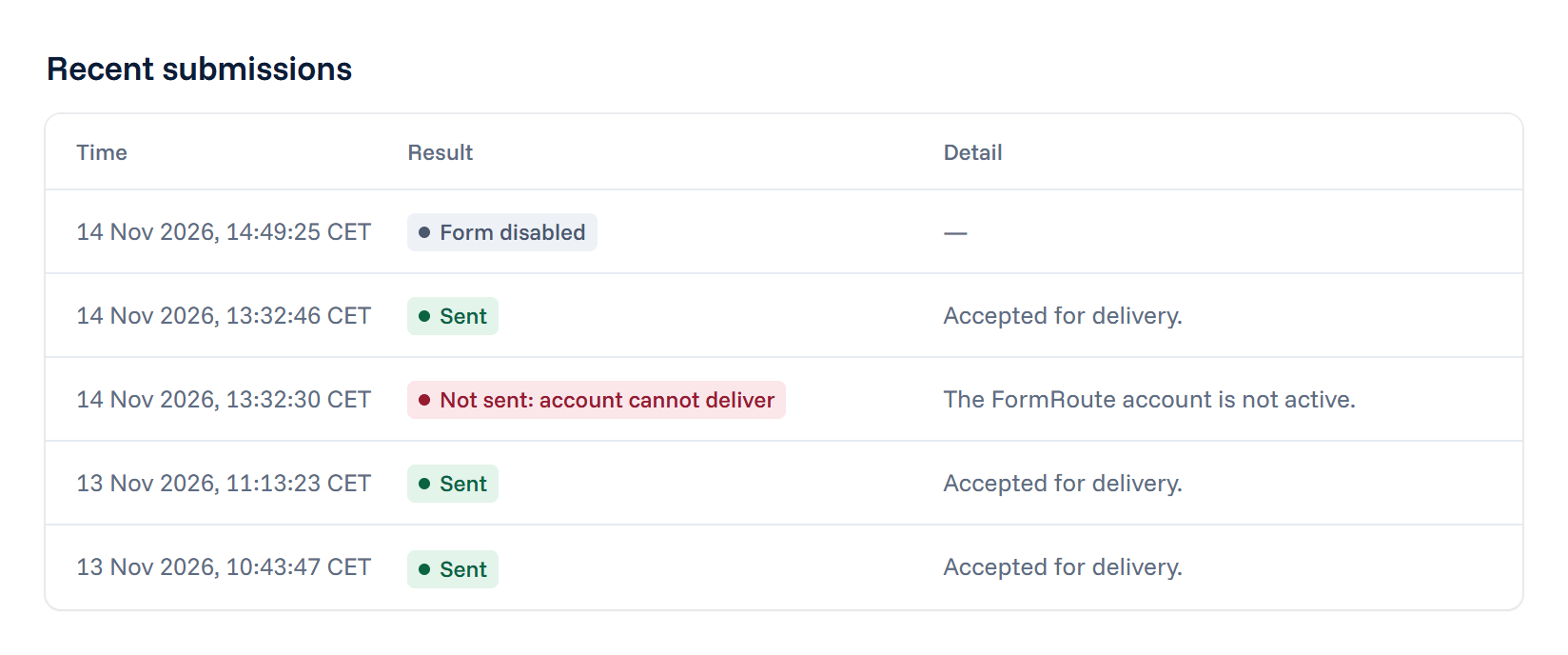
Sent. The submission passed every check and was handed to Amazon SES. Its delivery status follows: delivered, bounced or complained.
Rejected: website not allowed. It was posted from a website you have not listed, for example a copy of your form on someone else's site.
Filtered as spam. The hidden honeypot field was filled in, which people never do. Nothing is emailed.
Rate limited. Too many submissions from one visitor, or to one form, in a short time.
CAPTCHA required. The submission arrived faster than a person can fill in a form, so it has to prove it isn't a script.
Rejected: invalid fields. A required field was empty, or a value was longer than the limit you set.
FormRoute keeps the result, never the contents: what a visitor wrote goes to your inbox and nowhere else.
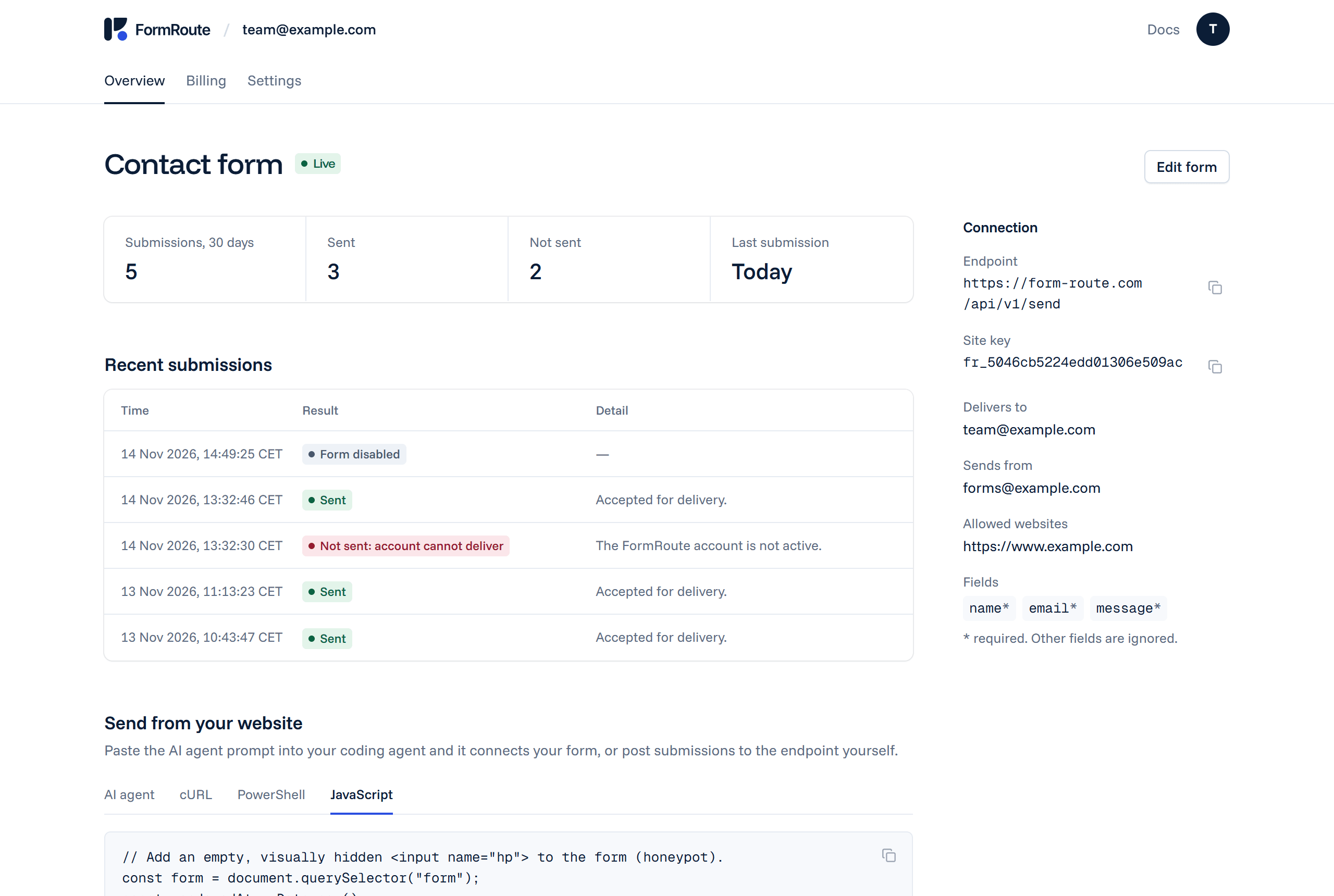
Your form at a glance.
Counts, recent results and connection details on one page.